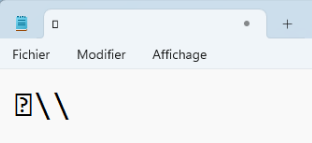
Veyon displays a special character when press "Alt+Gr"
-
Hello,
The same problem here.
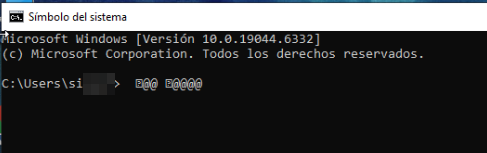
When I log in from “Remote Control,” when I enter my username and password containing @ and press the ALT+GR key, it enters that strange character. In my case, when connected remotely to the machine, nothing strange is displayed with the @, but when I try to enter it in a cmd, for example, I can see how it sends the same symbol with “?”. If you access the machines from Veyon itself with “Log in” instead of connecting to them remotely, it types and sends the @+ALT GR without any problems.
I temporarily solve this by using ALT+64 in my case. For any other character, it would be necessary to find the corresponding number for that character in the ASCII table. Even so, as it affects passwords with special characters, it is tedious to work with this bug on a daily basis.
If anyone finds a solution, that would be wonderful. Thanks in advance and best regards,
Hello! It looks like you're interested in this conversation, but you don't have an account yet.
Getting fed up of having to scroll through the same posts each visit? When you register for an account, you'll always come back to exactly where you were before, and choose to be notified of new replies (either via email, or push notification). You'll also be able to save bookmarks and upvote posts to show your appreciation to other community members.
With your input, this post could be even better 💗
Register Login