Skip to content
  • Categories
  • Recent
  • Tags
  • Popular
  • Users
  • Groups
Skins
  • Light
  • Brite
  • Cerulean
  • Cosmo
  • Flatly
  • Journal
  • Litera
  • Lumen
  • Lux
  • Materia
  • Minty
  • Morph
  • Pulse
  • Sandstone
  • Simplex
  • Sketchy
  • Spacelab
  • United
  • Yeti
  • Zephyr
  • Dark
  • Cyborg
  • Darkly
  • Quartz
  • Slate
  • Solar
  • Superhero
  • Vapor

  • Default (No Skin)
  • No Skin
Collapse

Veyon Community Forum

  1. Home
  2. Help & Troubleshooting
  3. Problems VEYON installation
Problems VEYON installation

Scheduled Pinned Locked Moved Help & Troubleshooting
3 Posts 1 Posters 1.0k Views
  • Oldest to Newest
  • Newest to Oldest
  • Most Votes
Reply
  • Reply as topic
Log in to reply
This topic has been deleted. Only users with topic management privileges can see it.
  • A Offline
    A Offline
    alberto
    wrote on last edited by
    #1

    Hi,

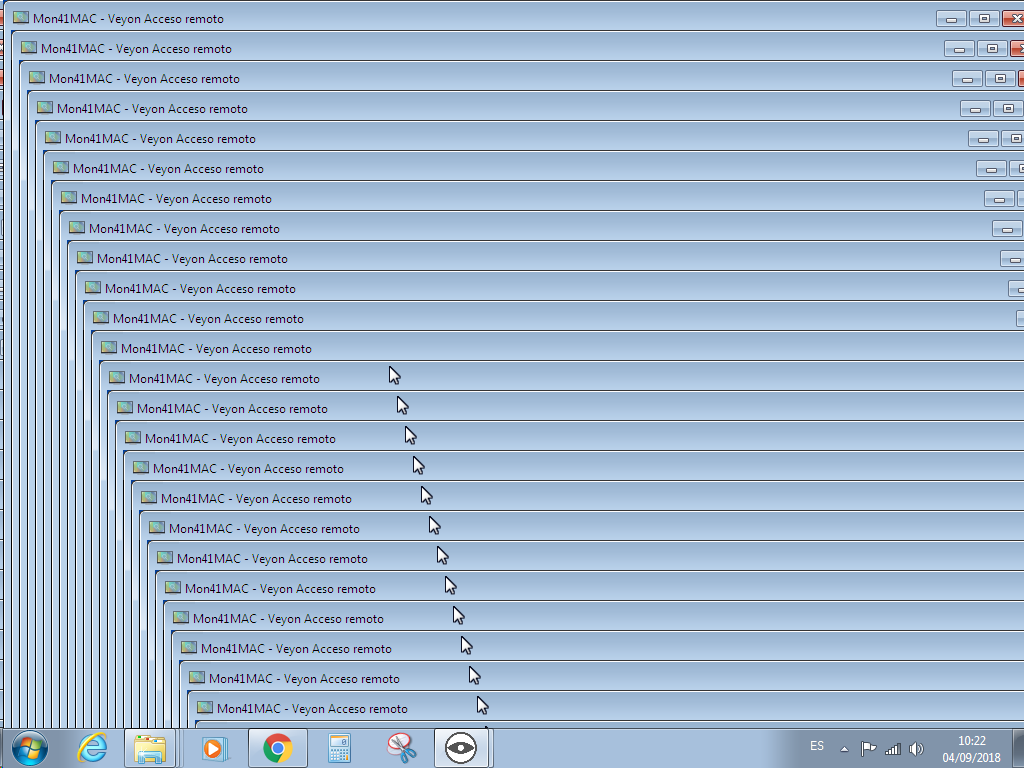
    I am a teacher, and trying to use VEYON at school. Installation and configuration of Master and Client worked fine. The problem is, that I am unable to see (control) the client computer. We use dynamic IP, so I used the MAC adress. When I try "remote view" from the master to a client, I get this screen inside screen, ... error. 0_1536049633092_sceen_inside_screen.png
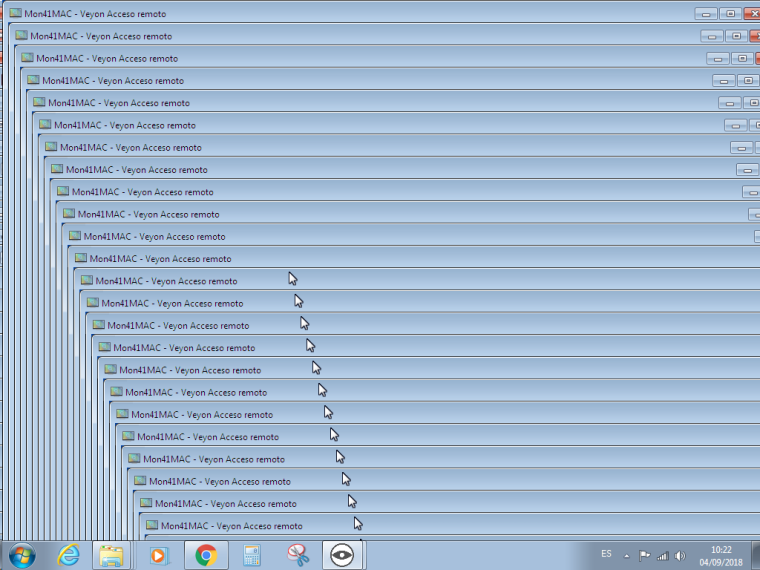
    Moving the mouse over the ClientIcon, also shows "not conected"...

    What's the problem?

    I can send you a ipconfig -all, or arp -a...

    1 Reply Last reply
    0
    • A Offline
      A Offline
      alberto
      wrote on last edited by
      #2

      OK. I checked the IP, and they had a mistake.

      But now, I get a "Autentification error or unable to access". No idea how to make it. I followed the instructions about export public key and import key... Any help? Is there any log file?

      A 1 Reply Last reply
      0
      • A alberto

        OK. I checked the IP, and they had a mistake.

        But now, I get a "Autentification error or unable to access". No idea how to make it. I followed the instructions about export public key and import key... Any help? Is there any log file?

        A Offline
        A Offline
        alberto
        wrote on last edited by
        #3

        @alberto OK. Now I make it. The problem was "use VNC tool" in the Service Tab.

        Question closed.

        1 Reply Last reply
        0

        Hello! It looks like you're interested in this conversation, but you don't have an account yet.

        Getting fed up of having to scroll through the same posts each visit? When you register for an account, you'll always come back to exactly where you were before, and choose to be notified of new replies (either via email, or push notification). You'll also be able to save bookmarks and upvote posts to show your appreciation to other community members.

        With your input, this post could be even better 💗

        Register Login
        Reply
        • Reply as topic
        Log in to reply
        • Oldest to Newest
        • Newest to Oldest
        • Most Votes


        Powered by NodeBB | Contributors
        • Login

        • Don't have an account? Register

        • Login or register to search.
        • First post
          Last post
        0
        • Categories
        • Recent
        • Tags
        • Popular
        • Users
        • Groups