4.11.1 - Screen Lock does not work
-
I recently updated from Veyon 4.10.4 to 4.11.1 and I have been informed by the teachers that the "Lock"-Feature no longer blacks the student screen and only a few students were affected by the mouse and keyboard lock. In the Master View it would show the symbol of the screens being locked, but they were not. Even when you unlock them, the symbol would still be there.
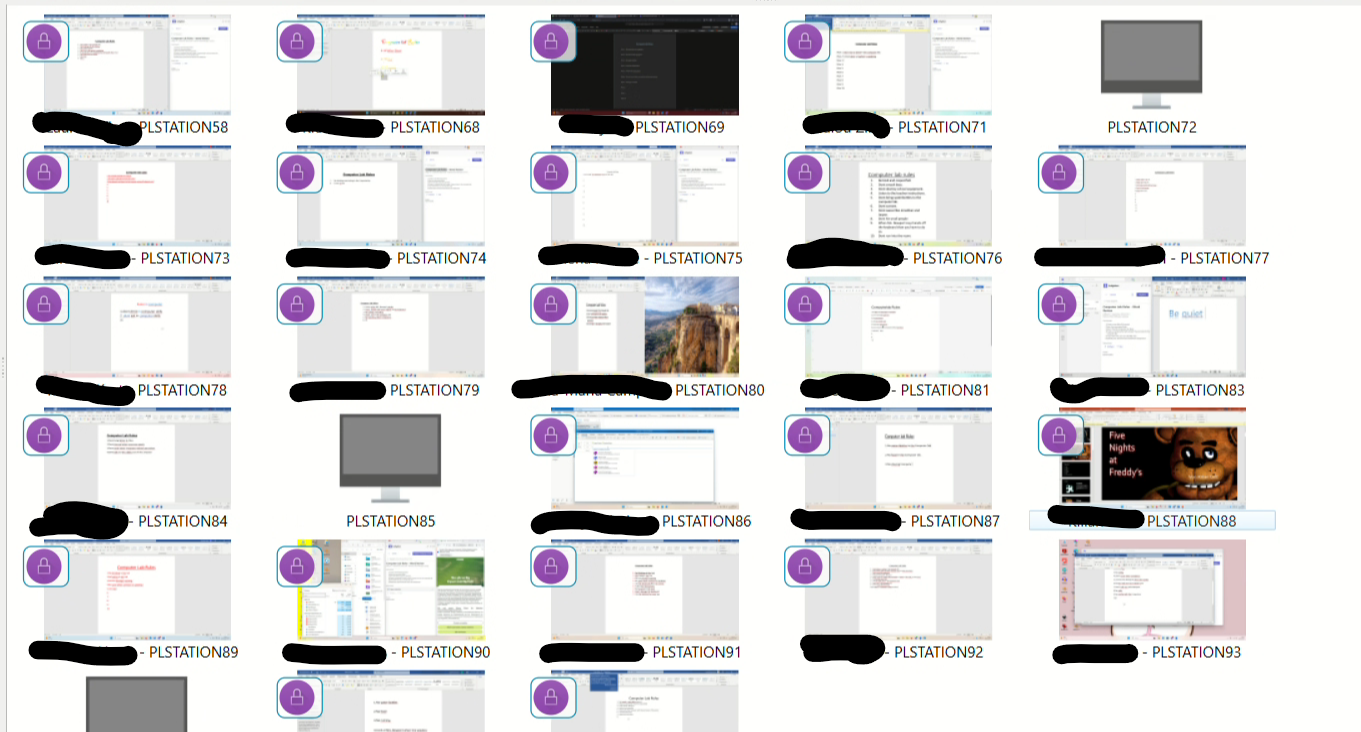
-
Once locked, students can use Ctrl+Alt+Del to bypass the lock; although they are still unable to interact with the system, they are unable to view the screen being projected from the teacher’s computer. I have configured the teacher’s end to lock the students’ keyboards and mice, and I have restarted both the teacher’s and students’ computers, but it still hasn’t worked.
-
Ученики обходят блокировку экрана и продолжают работать. Есть предложение для разработчиков сделать при блокировки экрана и блокировку клавиатуры? Что бы она полностью отключалась или блокировалась. Обходят через сочетания клавиш Alt+Tab+F4; кнопка Windows + F4 (создание нового рабочего стола)

Hello! It looks like you're interested in this conversation, but you don't have an account yet.
Getting fed up of having to scroll through the same posts each visit? When you register for an account, you'll always come back to exactly where you were before, and choose to be notified of new replies (either via email, or push notification). You'll also be able to save bookmarks and upvote posts to show your appreciation to other community members.
With your input, this post could be even better 💗
Register Login