Wake-On-LAN set, Power On doesn't kick...
-
Can't PowerOn the stations in the Computer Lab after I've donne everything I found online on this subject:
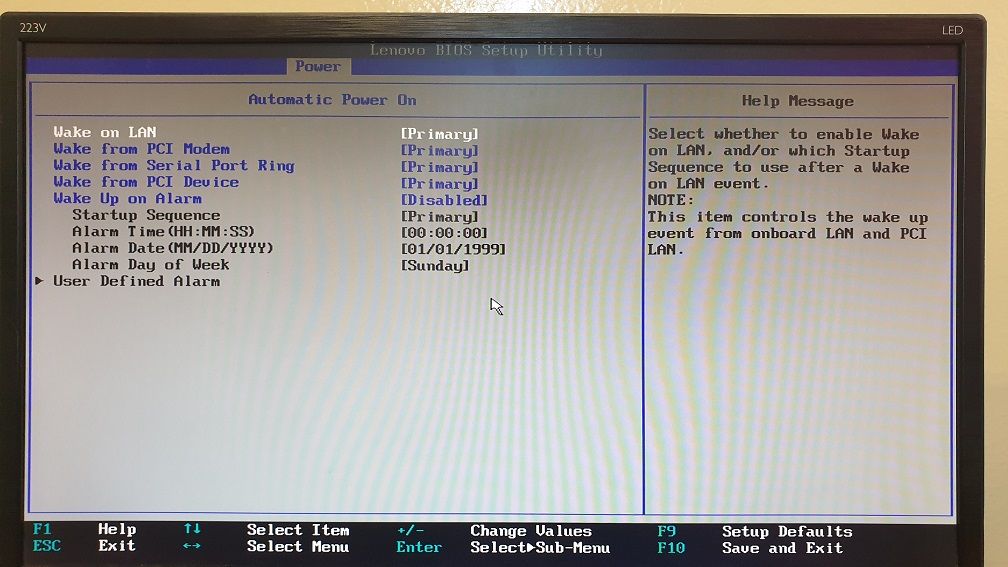
1] I enabled Wake-On-LAN in BIOS:
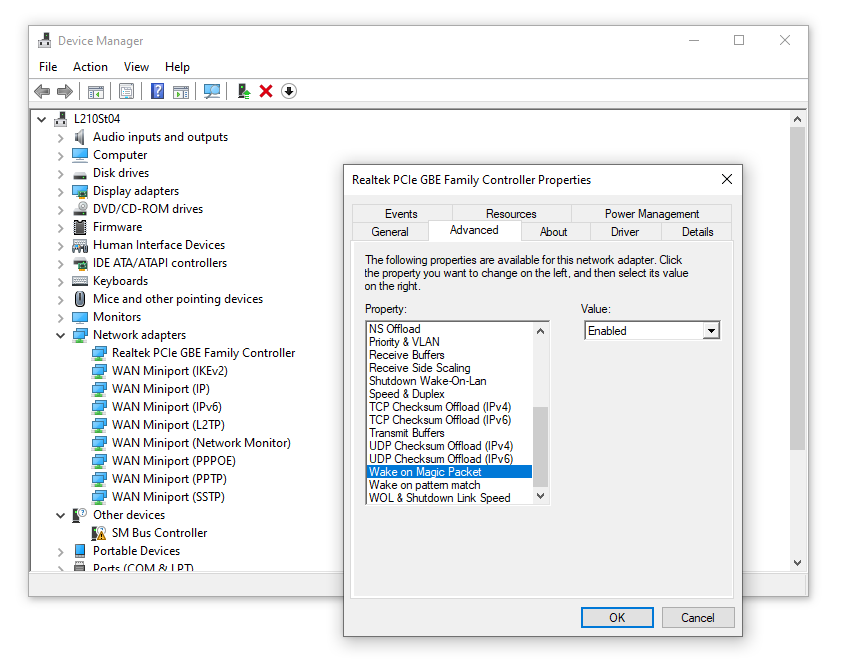
2] Have verified "wake on magic packet" is enabled:
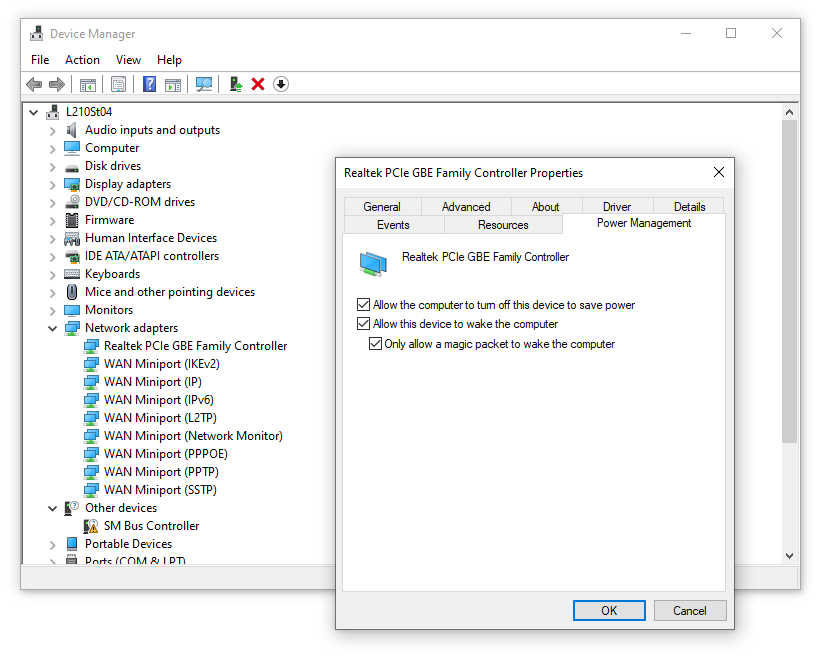
3] Checked "only wake on magic packet":
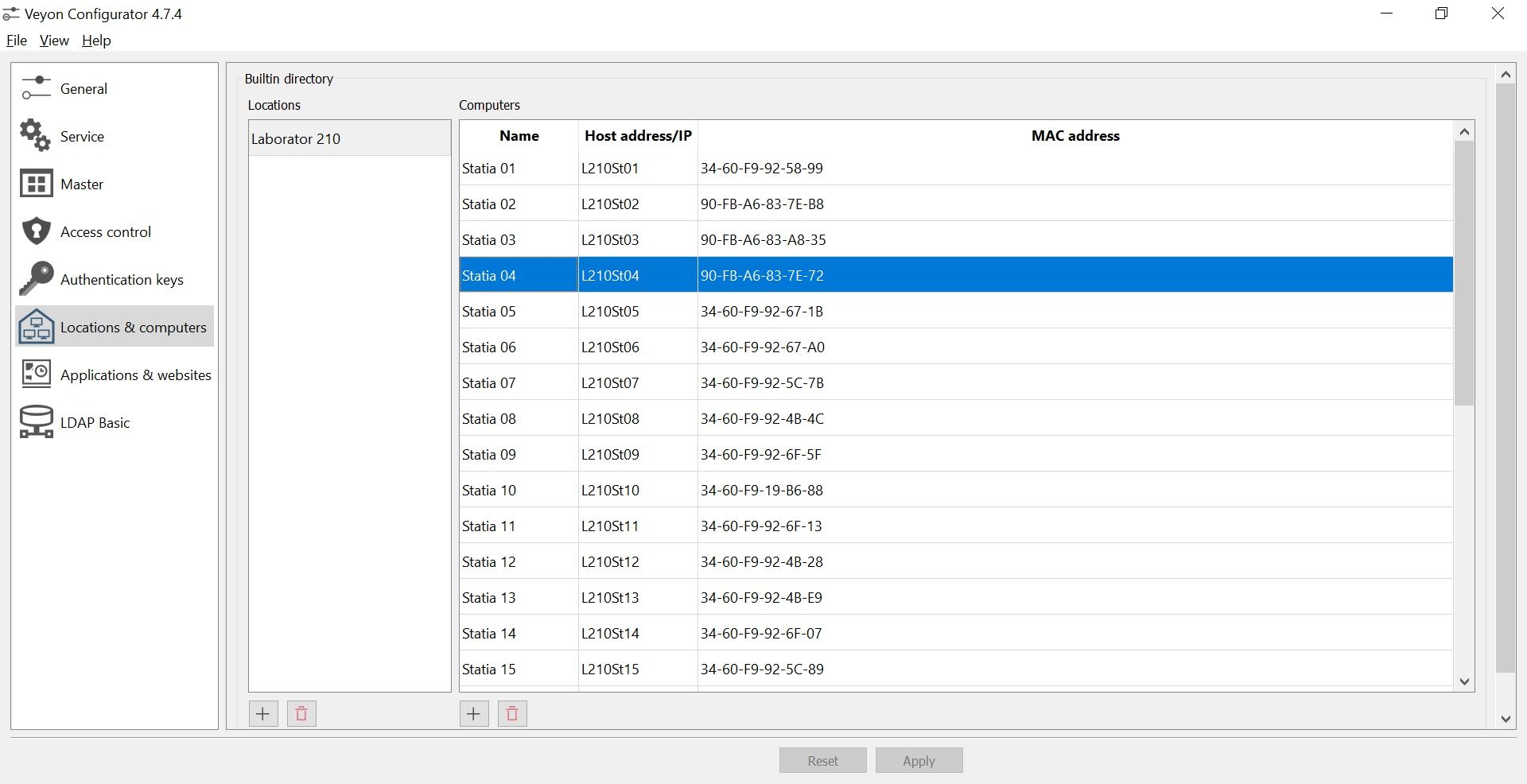
4] Entered MAC in Veyon Configuration:
5] All computers are connected to the same router, directly [professor] or through 2 swithches [the 30 stations].And STILL when I press Power On in Veyon, nothing happens...
Anyone any suggestion on what more have I to do?!?
-
First try disabling "fast startup" on the client computers:
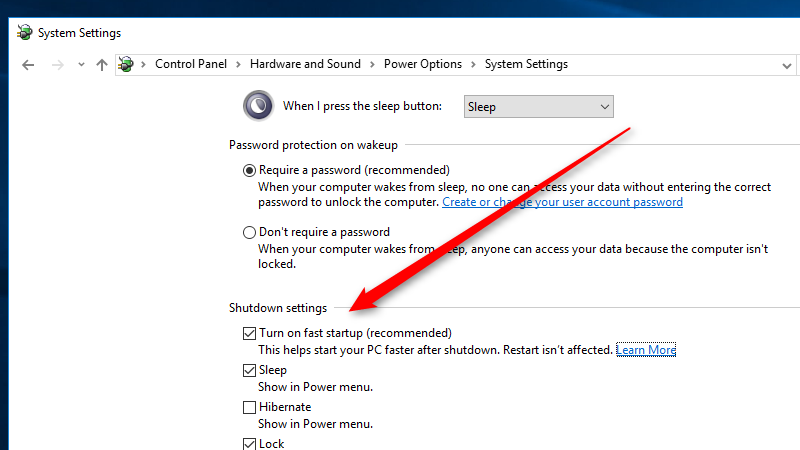
If that doesn't help, the issue may be your network configuration. Are the computers all on the same LAN or VLAN? Are the two switches just small unmanaged switches or are they routing the traffic in some way?
Anyways, I recommend to test whether the magic packets reach the client computers. You can use a tool like tcpdump or wireshark on the client computer to capture UDP traffic on port 9, which is what Veyon uses to send the magic packets. -
Can't PowerOn the stations in the Computer Lab after I've donne everything I found online on this subject:
1] I enabled Wake-On-LAN in BIOS:
2] Have verified "wake on magic packet" is enabled:
3] Checked "only wake on magic packet":
4] Entered MAC in Veyon Configuration:
5] All computers are connected to the same router, directly [professor] or through 2 swithches [the 30 stations].And STILL when I press Power On in Veyon, nothing happens...
Anyone any suggestion on what more have I to do?!?
@NikyStSava I suggest to use colon in place of dash between for MAC Address
-
Sorry for the late repply...
Disabling "fast startup" did the trick for me.
The replacing of dash with colons didn't seem a good idea, cause for the Lenovo's it worked like that. Only the Dell's were the reluctant ones, so it seemed to be a station configuration problem.
Hello! It looks like you're interested in this conversation, but you don't have an account yet.
Getting fed up of having to scroll through the same posts each visit? When you register for an account, you'll always come back to exactly where you were before, and choose to be notified of new replies (either via email, or push notification). You'll also be able to save bookmarks and upvote posts to show your appreciation to other community members.
With your input, this post could be even better 💗
Register Login