Skip to content

Help & Troubleshooting

1.1k Topics 2.8k Posts

You're facing difficulties with setting up Veyon? Ask away!

  • Active directory and NTLM

    1
    0 Votes
    1 Posts
    305 Views
    No one has replied
  • How to install veyon properly on linux

    2
    0 Votes
    2 Posts
    2k Views
    Z
    @darrellsimone The documentation should be read first: https://docs.veyon.io/en/latest/admin/installation.html#installation-on-a-linux-computer The teacher machine needs veyon configurator, the client machines only need veyon master. In principle, you can also access a machine on an external network, although I haven't tried it yet, but you have to enable Veyon on the firewall. If something doesn't work, feel free to ask, I'm happy to help if I can.

  • 1 Votes
    2 Posts
    923 Views
    ?
    @Luigi-Capp I have fixed it with the command "sudo apt-get -f install /home/luigicapp/Scaricati/Temp/veyon_4.7.5.0-ubuntu.jammy_amd64.deb" Luigi Cappellazzo
  • Demo/Share screen doesn't work

    4
    2 Votes
    4 Posts
    681 Views
    T
    Are you using the latest version on both teacher and student computers?
  • Internet Access Control in school context not working

    2
    0 Votes
    2 Posts
    507 Views
    T
    A typical mistake is that Veyon add-ons are not installed on student computers. Also make sure to configure the Internet access blocking mechanism client-side. Is the Windows Firewall enabled on student computers? If not, please enable it and don't set any group policy which prevents applications from changing the firewall configuration.
  • Authentication failed or access denied

    1
    1
    0 Votes
    1 Posts
    312 Views
    No one has replied
  • Upgrading multiple machines

    2
    0 Votes
    2 Posts
    502 Views
    G
    This can be easily done with PSTools from Microsoft and a batch script or PowerShell. I use the following to manually remotely install veyon and the security keys when the GPO installer doesn't work for any reason. You can replace line 1 with a call to a list of computers rather than specifying a single computer if that fits your needs better. SET /p computer="enter computername:" XCOPY "\\networklocation\veyon-4.7.5.0-win64-setup.exe" "\\%computer%\C$\" /e /h /y XCOPY "\\networklocation\UserConfig.json" "\\%computer%\C$\" /e /h /y XCOPY "\\networklocation\veyon\Veyon\*.*" "\\%computer%\C$\ProgramData\Veyon\" /e /h /y timeout /t 5 CD "C:\PSTools\" psexec64 \\%computer% C:\veyon-4.7.5.0-win64-setup.exe /S /ApplyConfig=C:\UserConfig.json /NoMaster
  • Veyon on Linux

    1
    0 Votes
    1 Posts
    236 Views
    No one has replied
  • Solo un escritorio

    1
    0 Votes
    1 Posts
    207 Views
    No one has replied
  • 0 Votes
    1 Posts
    238 Views
    No one has replied
  • Veyon 4.7.5 classroom's PC doesn't all show up once rebooted.

    3
    0 Votes
    3 Posts
    599 Views
    C
    Hi, after the reboot command when all my calssroom PCs shows the desktop if I hit "F5" then I can get back them all visible in veyon master. This is only a small issue but wasn't present in 4.7.4 release. Have a good day.
  • change Password veyon Master

    1
    0 Votes
    1 Posts
    179 Views
    No one has replied
  • Veyon with azure Intune

    1
    -1 Votes
    1 Posts
    282 Views
    No one has replied
  • Veyon master login

    1
    0 Votes
    1 Posts
    200 Views
    No one has replied
  • Mix Windows and Linux Machines

    1
    0 Votes
    1 Posts
    219 Views
    No one has replied
  • Effet mirroir désagréable / unpleasant mirror effect

    2
    1
    0 Votes
    2 Posts
    375 Views
    T
    You could easily minimize the demo window and control the computer as normal.
  • Red monitor on all ICT PC

    2
    0 Votes
    2 Posts
    360 Views
    T
    Hi, can you please check the permissions on the key files? Did you export the private key from one Veyon Master to the other one?
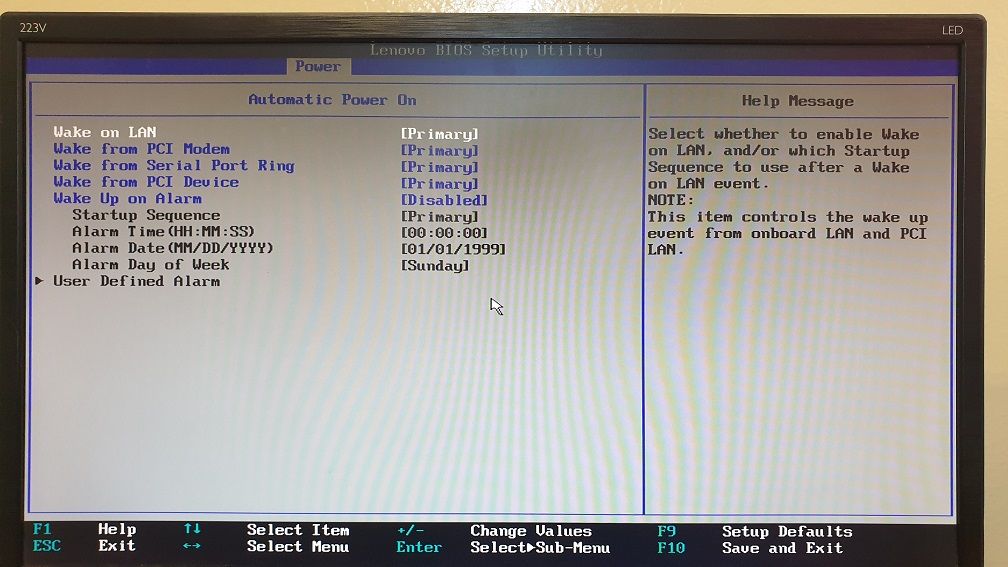
  • Wake-On-LAN set, Power On doesn't kick...

    4
    4
    0 Votes
    4 Posts
    848 Views
    N
    Sorry for the late repply... Disabling "fast startup" did the trick for me. The replacing of dash with colons didn't seem a good idea, cause for the Lenovo's it worked like that. Only the Dell's were the reluctant ones, so it seemed to be a station configuration problem.
  • Failed to build Veyon form source code (Could NOT find LibVNCClient)

    6
    0 Votes
    6 Posts
    2k Views
    T
    @lmoellendorf Can you try passing -DWITH_PCH=OFF to CMake? Which version of CMake are you using?
  • first installation failed - no client visible

    2
    0 Votes
    2 Posts
    359 Views
    Z
    @PowerBauer What operating system? Key authentication? Do you assign it by hostname or IP address? If you are using key authentication, have you set two keys on the master that you want to control, and only the public key on the master? Try to set it up based on that, that's what I looked at first. link text